
Learn how to transfer programs to your Texs Instruments calculator and you’ll have more than a calculator–you’ll have games to go for study breaks!
There are a few things you will need before you can actually transfer the program to your calculator:
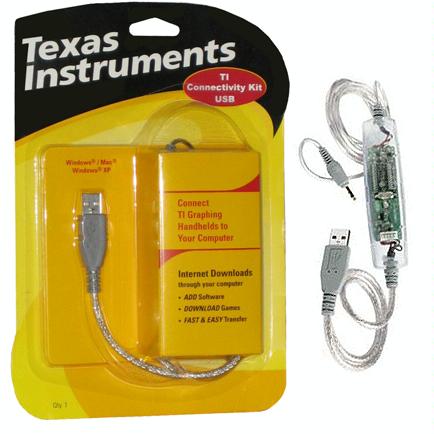 The TI-83 Plus does not come with a link cord in the package, so you will need to buy a [amazon_link id=”B00006BXBS” target=”_blank” container=”” container_class=”” ]Texas Instruments 94327 TI Graphlink USB Cable[/amazon_link]
Once you have the cable, you must download and install the TI Graphlink Software. Begin by inserting the disc that came with the cable, and follow the directions to install the software. DO NOT connect the calculator to your computer until the software installation is complete.
If you do not have the CD and need the Graphlink Software, you may download it for free on the Texas Instruments website.
After the software is installed, connect your calculator by inserting the pin connector into the bottom of your TI-83 Plus, and the USB connector to your computer. If you bought the serial link, connect it to the back of your computer.
Now, download the ZIP file of your choice, which will contain a .8XP file and a .TXT manual. Extract the ZIP archive with a program, such as WinZip or 7-Zip. Windows XP and Vista will decompress a ZIP file without the need for additional programs. In Windows XP or Vista, double click on the ZIP file and drag the individual program files into another folder.
The .8XP file is the program you want to transfer to your calculator, though there can sometimes be more than one program in the ZIP file. Transfer all of the .8XP files to your calculator, or the program may not run.
After connecting your calculator to your computer, open up the “Link” menu in TI Graphlink. Choose the “Send To” menu , and then click on the “RAM” menu item. Select all of the files you would like to transfer, and the programs will be sent.
